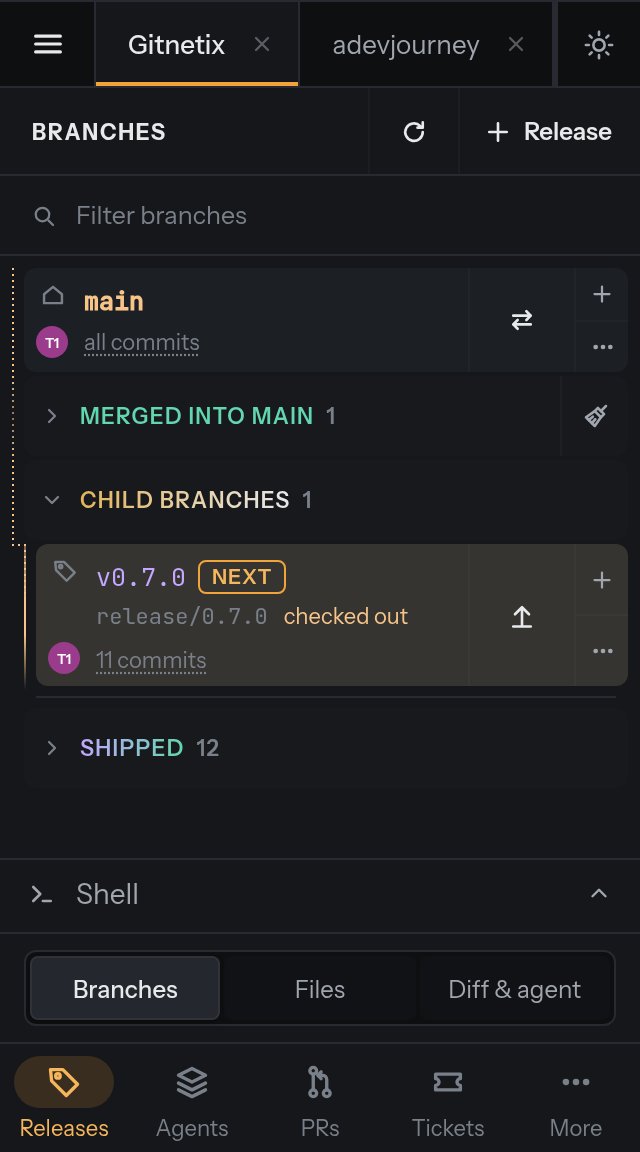
On your phone
Nothing to install. In Settings › Companion & MCP, allow devices on your network, then scan the QR code. Gitnetix opens in your phone's browser.

v0.7.1Released What's new →
One universal build for Apple Silicon and Intel Macs. Drag to Applications.
Gitnetix_0.7.1_universal.dmg
Download .dmgA standard installer. Run it, and Gitnetix keeps itself up to date.
Gitnetix_0.7.1_x64-setup.exe
Download -setup.exeA single AppImage. Make it executable and run it, no install step.
Gitnetix_0.7.1_amd64.AppImage
Download .AppImageInstalled apps check for new releases on launch and update themselves. All releases on GitHub
Gitnetix isn't notarized yet, so macOS may say it "is damaged" or "cannot be verified". The app is fine; macOS just can't check who made it. Clear the quarantine flag once after dragging it to Applications.
Or open it once, then go to System Settings › Privacy & Security and click Open Anyway. Updates from inside the app don't need this again.
$ xattr -cr /Applications/Gitnetix.appGetting "Permission denied", for example without admin rights? Copy the app to your own Applications folder and clear the flag there:
$ mkdir -p ~/Applications$ cp -R /Applications/Gitnetix.app ~/Applications/$ xattr -cr ~/Applications/Gitnetix.app$ open ~/Applications/Gitnetix.app
Universal build: runs natively on Apple Silicon and Intel.
Nothing to install. In Settings › Companion & MCP, allow devices on your network, then scan the QR code. Gitnetix opens in your phone's browser.
No window. Drive it from your phone or any browser, or from another agent over MCP.
cargo run -p gitnetix-server
Every RPC method becomes a tool, forwarded to the running app.
cargo build -p gitnetix-server --release claude mcp add gitnetix -- "$(pwd)/target/release/gitnetix-mcp"
Rust 1.80+, Node 20+, pnpm, and git on your PATH.
pnpm install pnpm app
git installed and on your PATH. Gitnetix drives the real git CLI.claude, codex, gemini, copilot, ollama) or an API key.~/.config/gitnetix (Linux), ~/Library/Application Support/gitnetix (macOS), or $GITNETIX_HOME.